Feature
Post

Category
Friday Focus

Friday Focus 12/26/08: Attention-Grabbing Headers

Hope you all had a wonderful Christmas celebration! This Friday we’re going to look at whimsical, chaotic, everything-but-the-kitchen-sink headers that will certainly grab your attention.

Designs of the Week
Webdesigner Depot

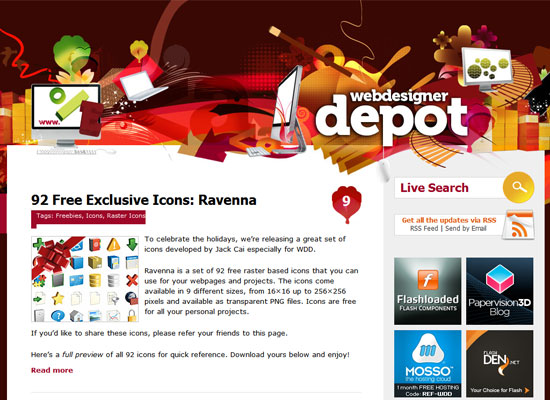
One of the big questions you have to answer when dealing with more “chaotic” designs is, how do you control the viewer’s eye movement? The site title on the header is pretty easy to find, actually, but I wish the header were a little more useful and contained a navigation menu, for starters.
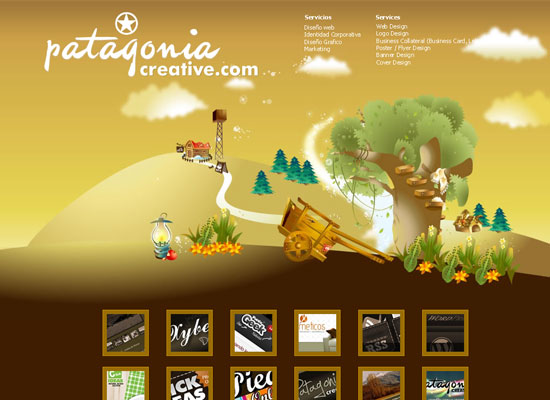
Patagonia Creative

Huge header alert! Again, I wish it had something a little more useful with the amount of space it is taking up. A tagline maybe. The list of services at the upper right could have been a little bigger as well.
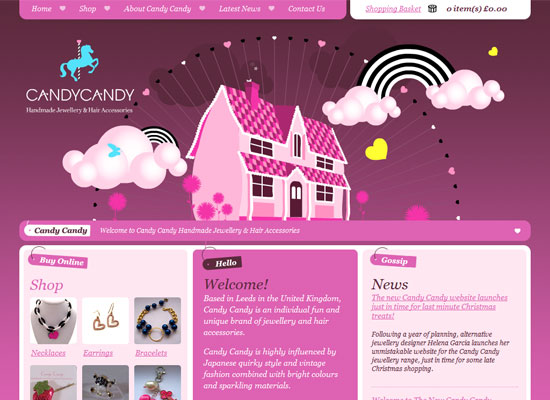
Candy Candy Jewellery

What a cute header—I love the spinning wheel of hearts, it looks like an otherworldly ferris wheel! And it matches the quirky jewelry designs this site is selling. Might have a little too much pink for some people, though. A dash of contrasting colors could make it better.
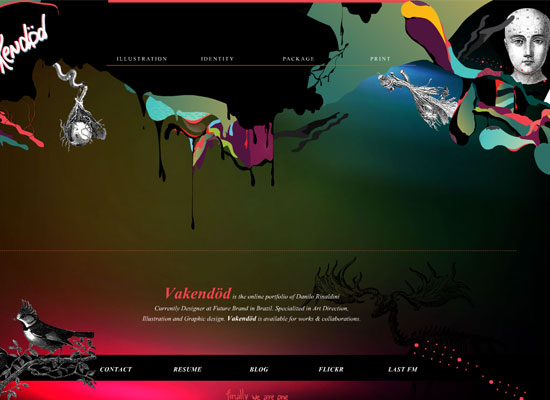
Vakendod

And now for something surreal, bordering on the creepy! I like how unusual this site looks. Unfortunately there’s this empty part in the middle that gets filled only when you select something from the menu. I’m all for whitespace, but the about text is already at the footer.

Social Media Weekly

Design5 Inspiring Web Design Conference Speeches you Shouldn’t Have Missed in 2008
You may not have attended these conferences, so here’s your chance to learn from the masters of web design.

ProgrammingTop 10 Web Platforms of 2008
Which web platform should you be developing for?
Feature
Post

Category
Column

The Fun Is Over: Remove Those Falling Snowflakes Now

We have all seen it, those falling snowflakes. They are everywhere this time of year. In principle, I like the idea of decorating your site or blog for the holidays, it’s nice. However, some things should just not be done.

Like falling snowflakes, all over the page.

But the problem is, everyone has seen it already, and it was annoying the first time around.

Yes, I know, it is easy to add one of those scripts to your site, and at first glance it looks nice. But the problem is, everyone has seen it already, and it was annoying the first time around. The thousand time, it makes me close the tab and go someplace else.

Another thing that I loathe with decorated websites is the addition of sound. This is luckily not as common anymore, which goes for websites overall, but for some reason the madness spreads in December. Please don’t ever make your website play music per default! Sure, add a play button if you think your readers will want to hear a midi file playing Jingle Bells or whatever (my guess is “no”), but don’t autostart it please.

Also, don’t force an animated Christmas card on me, just because I have the nerve to visit your site. I don’t want to see that when typing the URL, I want the actual site. Not a crappy Flash animation, the site. Link it from there instead, if you want to wish your visitors Happy Holidays, and then the ones in the holiday spirit can watch it and go awww, while the rest of us can use your site as intended.

Snow on your logo. Been done, but OK. Same goes for a festive background image, added details to the corners of your existing site, things like that. That’s OK, it can even be a bit nice, although I get tired of seeing the same green clipart over and over again.

The key to decorating your online presence is to not hamper the actual site!

Keep that in mind until next year. Now please remove those falling snowflakes.

Now, that being said, have a Merry Christmas and a Happy New Year!

Feature
Post

Category
Code

Print-Friendly Movable Type Templates, Part 2: Dynamic Publishing

In my last tutorial, I explained how to use the MT-Collect plugin to create a print-friendly entry template. One problem with this method is, since MT-Collect is an older plugin, it doesn’t work with dynamically published templates. This is a shame, since a print version really lends itself to dynamic publishing.

So, I set out to find a way to make this template dynamic. The solution was to write my own plugin that has the same results as we get with MT-Collect. And in this tutorial, I’ll show you how to use it. More →

Feature
Post

Category
Friday Focus

Friday Focus 12/19/08: Merry Christmas!

Christmas is less than a week away, so let’s stick to that theme on this week’s Friday Focus. Happy Holidays everyone!

Designs of the Week

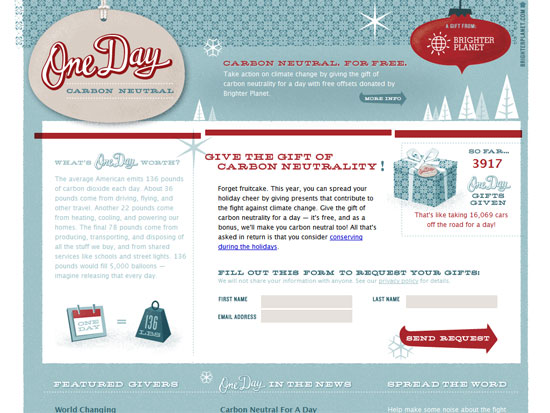
One Day Carbon Neutral

Christmas colors usually mean a red-and-green combination, but One Day Carbon Neutral uses red and a pale shade of blue for that wintery feel. Love the retro touches in the type and graphics, and the refined pattern in the header and giftbox. But above all, this site is a novel concept, which you should participate in.

Zeroseven's Decorate Your Christmas Tree

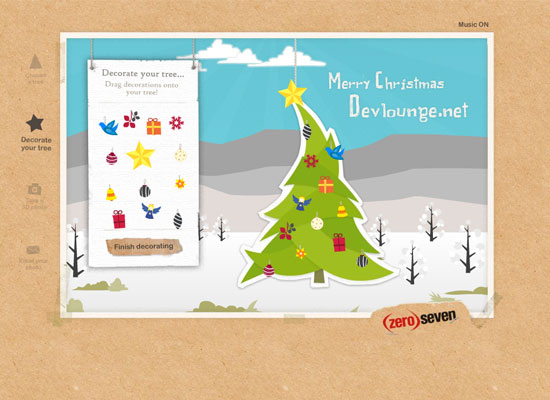
Another light design but leaning more on the scrapbook look, this time in pure Flash.

ESKIMO promotional products

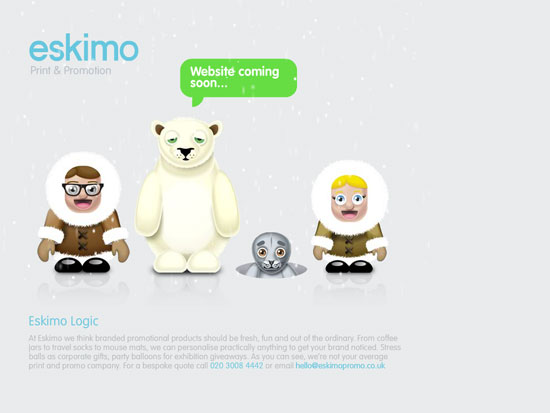
Okay so this one’s just a holding page, and has nothing to do with the holidays apart from being a scene from the North Pole, but doesn’t it put you in the mood?

Social Media Weekly

DesignCreative Christmas Ads of All Times!
Perfect for the holidays while still inspiring you for that next design gig!

ProgrammingThe Ultimate Web Developer’s Christmas Wish List
No better time to post a wishlist than now!

Feature
Post

Category
Webapps

Lorem Ipsum Sites Every Web Designer Should Bookmark

There are approximately 67,588 sites that offer the lorem ipsum phrase for your convenience. If you don’t know what it is, this is what Wikipedia will teach you:

In publishing and graphic design, lorem ipsum is common placeholder text used to demonstrate the graphic elements of a document or visual presentation, such as font, typography, and layout. It is a form of “greeking”.

Even though using “lorem ipsum” often arouses curiosity due to its resemblance to classical Latin, it is not intended to have meaning. Where text is visible in a document, people tend to focus on the textual content rather than upon overall presentation, so publishers use lorem ipsum when displaying a typeface or design in order to direct the focus to presentation.

In other words, it is placeholder text to fill your designs with, that looks better than blah blah blah and won’t distract the viewer with any actual meaning.

So where can you get it? Well, google it and you’ll have a bunch of hits, and there are truly great web sites that offer the phrase for your convenience. I have a soft spot for Lorem Ipscream, flirting with ice cream and whatnot, but I wouldn’t say that it is a great choice for filler text, others are doing this better.

Chris Coyier of CSS-Tricks has made a nice attempt with HTML-Ipsum. It is basically a collection of lorem ipsum snippets in various HTML tags, for your copy-paste convenience. This includes OL and UL lists, which is really handy, as well as some less funky stuff that still might be useful in some situations. But especially the lists, good call Chris! You can get them for Coda or Textmate as well, a nice feature.

However, my undisputed champion in this glorious battle is Per Bang’s Lorem Ipsum Generator. This most excellent site lets your choose how many paragraphs should be displayed, if they should be long, medium, short, mixed, and the same for the actual sentences. It can also do lists, and show everything in HTML source code as well as right there on your screen for copy-pasting. You really should give this one a go, it is by far the best one I’ve found.

What’s your lorem ipsum poison?

Feature
Post

Category
Publishing

ICanLocalize Provides Human Translation for WordPress Blogs

ICanLocalize has recently released a set of WordPress plugins designed to make the difficult process of translating a website into another language much easier.

The biggest feature of their system is obviously the translation mechanism. Here is how it works (from their website):

Our system produces a translated blog with contents that are based on the original language blog. Whenever there are new contents or when contents update on the original language blog, they are sent to translators. The translations are then published in the translated blog.

The entire process is fully automated. Bloggers don’t need to spend any time administrating the translation. From the translators’ point of view, the process is seamless. They are notified whenever there is new work and translate inside ICanLocalize’s system. Translations are being sent automatically and published.

And the results are great. If you have ever tried to translate a website using an online tool I am sure you have realized how inadequate it can be. Don’t get me wrong, Google Translate and Babelfish have their uses, but nothing can compare to a professional human translator, writing in his or her native language.

More than just translation

ICanLocalize offers more than just translation. They have created several other WordPress plugins that compliment the translation service but are beneficial without it. For example, the CMS Navigation plugin provides “out-of-the-box support for full CMS navigation in your WordPress site including drop down menus, breadcrumbs trail and sidebar navigation.”

The Absolute Links plugin “prevents dead links between any post or page by guaranteeing that all links always point to the current addresses (permlinks).” I could have used that one on a project that I recently completed which required non-technical people to deploy a WordPress blog in test and transfer it to a production site with a different URL.

Each individual plugin is great but the whole package of plugins, used together, allow you to do things that are difficult to do otherwise. They are all GPL and in the WordPress plugin repository. Check it out and let us know what you think!

Feature
Post

Category
Code

Creating a Print-Friendly Template in Movable Type

A couple of weeks ago, someone on the Six Apart Professional Network mailing list asked if there was a plugin for Movable Type that would create a printer-friendly version of posts similar to WP-Print. Looking at a sample of WP-Print’s output, I realized that no plugin was necessary — I could do it with a template. With a bit of work and the help of a very powerful MT plugin, I’m proud to say I’ve succeeded. And now I want to show you how.

Before we begin, I should make clear that what I’ve done here doesn’t come close to recreating all that WP-Print does. In particular, WP-Print has several settings that control what gets printed and how the print version looks. For that level of customization, you would need to write a full-fledged plugin. I also want to thank the developer of WP-Print, Lester Chan, for releasing his plugin under the GPL. My own solution uses his print CSS, along with a modified version of his print template. More →

Feature
Post

Category
Friday Focus

Friday Focus 12/12/08: How To Build Great Websites

This week’s Friday Focus feature sites that don’t only looks great, but tell you how to build great-looking websites as well!

Designs of the Week

Max Kerning

Barring the fact that it’s done entirely in Flash, this is such a beautiful and hilarious site. Very clean and light—in more ways than one.

design|snips

Even if there’s a lot of information on this site, it does not feel heavy or overwhelming at all. The number of thumbnails aren’t too many, and the width of the layout isn’t too wide. The use of serifs makes this inspiration gallery more elegant than the rest.

24 ways

Love it or hate it, this site has an innovative look this year (you probably need a browser that supports opacity). And hooray for the boxy look!

The Grid System

Do all grid-focused sites have to be in black and white? Does it matter? Very little use of anything other than text. And laying that out is either a joy or a pain, depending on your expertise.

FreebiesDock

Now here’s a site that depends a fair amount on imagery, including image-replaced text. The headings are well-pronounced, and the use of green and orange brighten up the otherwise monochromatic brown.

Social Media Weekly

Design10 Common Typography Mistakes
If typography is the backbone of good design, then this is an invaluable article.

ProgrammingExtending CSS Spriting
New CSS sprite technique that does away with background images and improve accessibility.

Feature
Post

Category
Publishing

Even More Drupal Client Guides to Make Your Life Easier

Here’s the scenario: your client is starting to get comforatable with logging in to their Drupal site and adding content. They can edit a post just fine. You start to see that hunger in their eyes for more. What do you do?

If you answered “Hand ‘em a couple more client guides!” you would be correct.
These two client guides take it up a tiny notch by showing your client how to manage user accounts and check out their statistics.

For these to work you will need to make sure that the client account has the proper permissions (we know you’re not letting them loose as an admin). You will also need to enable the Statistics module.

Guide 3 Downloads

Guide 4 Downloads

Feature
Post

Category
Publishing

The Plugin Rule

I got caught up in a discussion on plugins for WordPress today, which got me thinking about some things that I really should share with the Devlounge readership. It might seem a trifle basic to some of you, but you should understand that there are a lot of people who extend and further extend their websites with plugins, widgets, gadgets, gizmos, addons, extensions, or whatever they are called for their publishing platform, and by doing so really just make the visitor’s experience worse.

So what am I talking about, really?

Plugin Overload

Sometimes you stumble over a cool feature that someone has on his or her website. You want it for your own, or your client wants it for their site. Googling it will find a solution, of course, and it might be a plugin for the CMS you’re using.

Excellent! Install! Blam! It’s up!

Then it happens again. And again. It goes on and on, and suddenly you have 20+ plugins installed, and you’re wondering why the reader stats are going down.

The ease of adding plugins makes us sometime forget 5 things:

  1. Extending the CMS with plugins might strain it more.
  2. Additional functionality usually means additional database queries, calls to scripting actions, or whatever.
  3. Widgets hosted on a different server can hog up a site, just because the server they are on isn’t responding properly.
  4. Too many things at once might clash, because the developers didn’t take everything into consideration.
  5. Cramming too many features in one place will most likely make it cluttered and unfocused.

It is very easy to just download a plugin and extend our CMS today. A lot of times that is a good thing, but sometimes it goes too far. There really is no telling how well two different plugins will work together. A lot work perfectly well, but some might clash due to poor programming or coincidence. After all, there is no way that the developer can test his work with everything out there, now is there?

There’s also the matter of load times. First of all, the more you put on a site, the bigger it will get and the slower it will load. This is less of an issue today, with high speed internet access, but it is still an issue. Second, if you use external services, like Share This or Disqus for instance, you will have to wait for them before you can use their functionality. If they are implemented right, the rest of the site will load, but that is not always the case. Third, people are impatient, high speed internet access or not – they want everything to happen the moment they click. So when someone finds a link to your Kick Ass Super Duper Post Of Brilliance, clicks in anticipation of reading something genius, and then it loads slooowly, you might just have lost a faithful reader.

Finally, there is something called two many features as well. Do you really need everything you clutter your site with? Just browsing the blogosphere tells me that the case is usually “probably not”…

The Plugin Rule

So what can you do? I have something I call the Plugin Rule. Basically, it goes something like this:

Never add a plugin for a feature your CMS can do with a little bit of custom coding.

Now, there’s the issue of actually doing that custom coding as well. Let’s say you’re running a WordPress blog and want a submit to Reddit link. You could do that with Share This, with one of the numerous plugins, or you could hack the theme template and add the submit link there. The ideal solution is the last one, since it relies on no plugins nor external services, but not everyone is capable of doing that. They should, of course, choose a plugin that gets the job done. That is, if they really need the feature – otherwise just forget about it.

It all boils down to your level of expertise of course, but try and avoid using plugins for everything. Always search for a less obtrusive solution. And perhaps most important of all: Always question the need of the added functionality. After all, less is sometimes actually more.

Feature
Post

Category
Publishing

5 Reasons You Should Be Using The Sandbox Theme

Just getting started with WordPress themes? Are you a long time WordPress Veteran looking to streamline your workflow? You need to start using the Sandbox Theme.

Andy, Scott, and everyone else involved in the project have included everything that a designer needs to get right to the fun stuff. It’s a veritable theme Mecca that, IMHO, is unmatched by many other “modder” themes. These are some of the highlights.

1. Cross Platform

The Sandbox theme is now available on many systems such as WordPress, Drupal, and even Movable Type. If you are anything like me, you are probably getting tired of redoing your site design every single time you change platforms (which is frequently). Sandbox makes it easy to move your design to a new platform.

2. Time Saver

You don’t have to spend time validating your theme—it is already validated. You don’t have to spend time creating custom functions and widgets—they have already been made. Nor do you have to spend hours setting up every theme file—they have been created too. You just upload it, activate it, and style it. That’s all.

3. Microformats

Microformats are crammed into just about every place they could possibly fit. What does this mean for you? It means that your website has loads of extra information (meta) that can be used in some neat ways. Check out the Operator plug-in for Firefox to start seeing Microformats in action all over the web.

4. Flexibility

Sandbox has lots of useful classes and id’s throughout. For example, say you would like to style each section of your site differently. Sandbox adds a whole slew of classes to the body tag that can help you out. What if you want to style posts tagged as “quote” differently than the rest of the posts? Again, Sandbox provides a myriad of classes for each post. You can style virtually anything without any coding!

5. The kitchen sink

As if those weren’t compelling enough reasons to use the Sandbox theme, it also boasts localization (currently with 10 languages and counting), incredible documentation, regular maintenance, a large community of users, standards compliance, a GPL license, and a whole host of ready-made designs. What’s not to love!

Feature
Post

Category
Publishing

Save Time With These Downloadable Drupal Client Guides

So you just finished that Drupal-powered site for your client. The problem is they don’t know how to use it. Avoid explaining the same simple tasks repeatedly with these simple, printable client guides.

The first guide will walk your client through the process of logging in. The second guide is a gentle introduction to managing content with Drupal.

We’ve made a few a few assumptions in order to keep these as simple as possible for even the most computer-illiterate user.

  • Clean URLs is enabled
  • User has the ability to add, edit, and delete a Story
  • Defaults have been set for the Story content type
  • The administration menu is enabled and visible

If you have created custom content types, or would prefer your client to use the Page content type, simply edit the Word document provided to suit your needs. If you have a basic site then you can probably just use the PDF versions.

Guide 1 Downloads

Guide 2 Downloads