Feature
Post

Category
Design

Designers to Follow on Twitter

I knew Twitter was truly everywhere when my mother called me up a few days ago and asked “What’s Twitter? Should I get an account?” With celebrities like Ashton Kutcher, Seth Rogen, and- most, recently- Oprah embracing the service, it’s no surprise.

With all the hype, it’s easy to forget what Twitter ultimately is: a powerful tool. A friend recently likened Twitter to “Facebook, without all the b.s.”- and he’s partly right. It connects people instantly- which is why it works so well for celebrities, putting them directly in contact with their fans.

As designers, of course, we have our own “celebrities”- they’re other designers, those whose work we are inspired by, and who can help us solve the type of design problems we’re faced with every day. Here are some of my favorite designers to follow on Twitter:

If you tweet about design, please leave your twitter address in the comments (mine is ilorraine)- or suggest your own favorite designers on Twitter.
Feature
Post

Category
Friday Focus

Friday Focus 04/24/09: Earth Friendly

In honor of Earth Day 2009, which took place this week, let’s look at organic, sustainable, eco-friendly websites not only in appearance but also in substance.

Designs of the Week

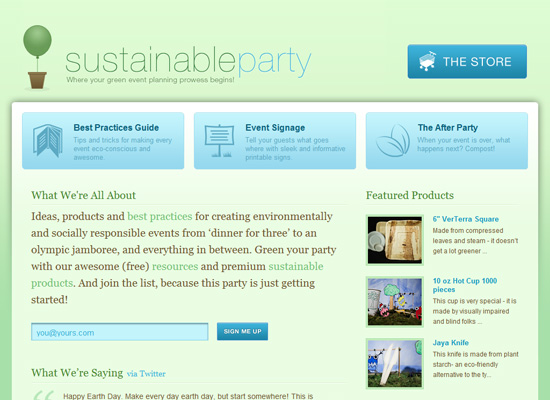
Sustainable Party

Although not shown here, there’s quirky illustration for this site’s footer and it’s probably the only design element I’m unsure about here. It makes me question the use of the lightest Helvetica for the logo, and makes me wish the upper portion of the design had more fun touches too, which says more “elegant” and “professional” than “party”. But I do love this elegant and professional look.

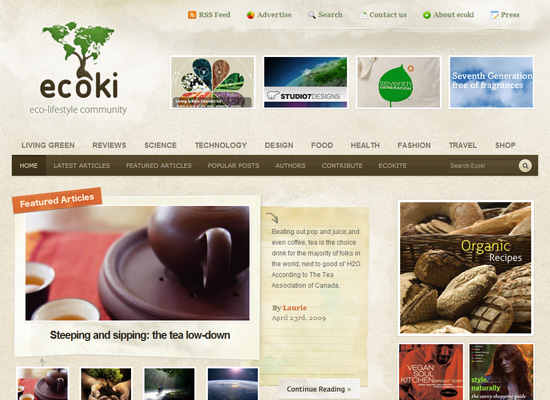
Ecoki

Two things that make this site design great: (1) well-made details everywhere you look; and (2) excellent management of a large amount of content. If you have those two things in your site, you’re good to go.

Bamboo Juice

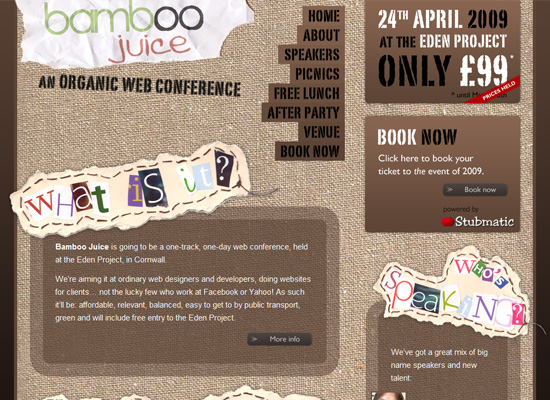
I love the canvas texture as the background for the whole layout. The magazine clipping style text and the stenciled text add to the casual feel of the site. It’s interesting how people use transparency and rounded corners in collage-style sites.

STUDIO7DESIGNS

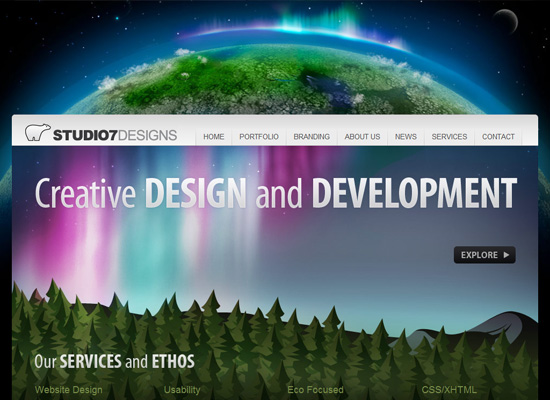
I love the huge and colorful header, including the big Earth in the background. Lots of Apple-style effects here, but what struck me most was the use of nature scenes rather than the usual icons to represent the different sections of the site. It fits in well with their eco-friendly philosophy and makes for memorable branding.

Social Media Weekly

DesignWeb Design Trends: Designing Out Of The Box

Programming15 Favorite E-Books for Web Design and Development

Eco101 Great Eco Companies

Feature
Post

Category
Design

Testing WordPress themes locally

I used to design WordPress themes “the hard way”- creating them on my computer as regular sites, converting them to WordPress template files, and uploading these via FTP. Then it was usually fingers crossed as I went into the Appearance tab of WordPress, activating it and hoping everything went well.

Then I learned how to install WordPress locally (on my computer), and wow. The only thing I wondered was why I didn’t do it sooner.

To install WordPress locally, you’ll need either MAMP (for OS X) or XAMPP (for Linux or Windows). These are one-click solutions that enable you to run your own personal webserver. They are awesome.

Setting WordPress up on your computer is a breeze: simply create a database in phpMyAdmin (which you get to through MAMP or XAMPP), extract WordPress to the appropriate folder (usually htdocs), configure wp-config.php, and go. Just make sure you’re running Apache and MySQL.

Testing a WordPress theme you’ve designed locally makes life so much easier. Not only are you able to make changes in real-time, you do it all behind the scenes- privately, where a chance visitor won’t have a chance to see the new design until it’s good and ready.

Of course, once you’ve got MAMP or XAMPP, you can do this with any php script of your choice- no more uploading and replacing files on FTP over and over again.

Feature
Post

Category
Strategy

Why Partnering is Better Than Outsourcing

Brian Clark and Jon Morrow from Copyblogger recently released a new ebook, The Outsourcing Conspiracy. It’s a quick read (only 31 pages) and you don’t have to give your email address to get the pdf file.

After reading Tim Ferriss’ bestselling book, The 4-Hour Workweek, many people have looked to outsourcing to improve their work life. Entrepreneurs especially have given outsourcing a go. However, in The Outsourcing Conspiracy, Brian and Jon talk about the drawbacks of outsourcing that many people have not thought of.

They highlight these five obstacles.

  1. Higher cost than expected
  2. Creation of a new role, the managerial role, that you may not like or be skilled in
  3. Mediocre results
  4. Frequent turnover
  5. Risk of intellectual property theft

Because of these obstacles, they argue that for many people outsourcing is not the best solution.  So, if outsourcing is not cracked up as it was meant to be, what’s the solution?

Brian and Jon believe that partnering is the solution.

By partnering, they mean working with other individuals to create profitable products, services, and ultimately businesses.  While outsourcing is paying others to work for you, partnering is working with other gifted people and sharing equity with them in the business.

There are many benefits to partnering.  In fact, the benefits actually overcome the obstacles of outsourcing.  Here is how Brian and Jon explain it.

  1. Partnering keeps the costs low because you’re sharing equity rather than spending money.
  2. It keeps you from being a manager because the most qualified partners don’t need to be managed.  They’re self-starters.
  3. You won’t have to worry about getting mediocre results since you choose partners that deliver quality work.
  4. Partnerships are more permanent than outsourcing workers since partners have a long-term stake in the project.
  5. The risk of intellectual property theft is lower with partnering.  Partners are more open than a freelancer to being vetted thoroughly.  A comprehensive vetting process makes sense in a long term project like a partnership.  However, since freelancers mostly work on short term projects, they’ll see that type of process as extreme.

Of course, with partnering, you have to bring something to the table.  You need to prove your work ethic and your competence in your role.  And if you’re looking for partners, you need to have a good idea for a project to attract quality partners.

If you’re at all interested in creating a successful small business or you have your own business and want to improve it, I highly recommend The Outsourcing Conspiracy.

In my next post, I’ll talk about some practical examples of partnerships.

Feature
Post

Category
Friday Focus

Friday Focus 04/17/09: Pink Power

The use of pink in this week’s featured sites greatly differ from one another. Welcome to a pink edition of Friday Focus!

Designs of the Week

The 99% Conference from Behance

I love how this whole page is filled with pink, and everything’s neatly arranged in grids. The sharp (as opposed to soft) page curls on the right-side boxes are a nice little touch too.

Shannon Farrell

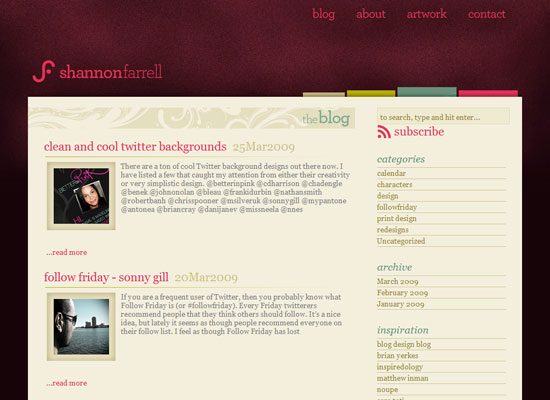
There is far less pink in here compared to the previous site, but it’s still quite memorable as a pink site. I like the light swooshes on the section headers too.

Lillie's Friends

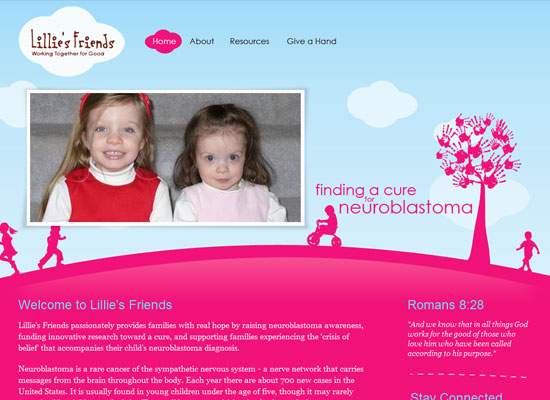
I like that there are hardly any straight lines in this design, but what really caught my eye here is the cloud motif in the fly-out menus. Smart design touch.

Social Media Weekly

Design8 Simple Ways to Improve Typography In Your Designs

Programming10 Cool Things We’ll Be Able To Do Once IE6 Is Dead

Feature
Post

Category
Column

Best Sites for Development

I am always on the lookout for more great sites relating to web development in any language, but today, I wanted to share a few of my choices.

First up, we have DZone which is pretty much Digg for Developers. It isn’t always perfect, but I’ve found many great tutorials and tidbits on there over the year.

If you want to cheat and get information from a bunch of blogs talking about PHP, then I suggest Planet PHP. It isn’t perfect, pretty much an amalgamation of a bunch of RSS feeds, it makes it easy to track all sorts of things happening in PHP.

The next one I wanted to mention is PHPBuilder. This site is pretty amazing for those new to PHP, as well as those in the intermediate stages. I haven’t dived too deep through their content to see if they have anything for the advanced coder, but it is still an interesting site that I reference from time to time.

Ajaxian is a blog known to many for its great articles, examples and its selections of posts from other blogs. A high quality blog for those interested in AJAX.

And the last one that I wanted to make sure to mention is NetTuts. I really enjoy this site because the tutorials there are of the highest quality. I find that they don’t always take on the intermediate to advanced techniques, but there are very few tutorial sites that do. The site is both beautifully designed, and has a constant trickle of content. If you aren’t subscribed to it, you’ll probably want to be.

Other than that, which sites dealing with web development do you enjoy? Which blogs, websites, and etcetera do you enjoy on a daily basis? I definitely want to know, so please leave a comment below.

Feature
Post

Category
Webapps

Putting Twitter on your website

Twitter, the genius of a micro-blogging service, added five million members last month. With that sort of growth, it’s not surprising that people are predicting the death of “old-fashioned” blogging.

But Twitter can be a wonderful tool for those of us who already run blogs and websites. Embedding your own Twitter feed on your blog is one of the quickest ways to post updates- especially if you tweet from your mobile phone. Here are some of the best ways to put Twitter on your website:

Twitter Badges. Perhaps the easiest method is provided by Twitter themselves. These “badges” are actually widgets- they provide you with a bit of code, and tell you where to put it. Short and simple, this works on nearly every type of site, from Blogger to Typepad to static HTML pages. Visit Twitter Badges (you’ll need to login to get your badges).

Twitter Widgets. If Twitter’s own badges don’t do it for you, you can try out Widgetbox’s Twitter Widget, incorporate the photo of your choice by using SayTweet… or even have some fun with the animated widgets over at WishaFriend!

Tweets in WordPress. If you run a WordPress (.org) blog, you’ll want to use either of two plugins: Twitter for WordPress or Twitter Tools. I have used them both, both are excellent, but the former (Twitter for WP) is a little simpler. Also worth a look is Twitt-Twoo, a WordPress plugin that allows you to update your Twitter status right from your blog’s sidebar.

Get Linked to More. When posting links on Twitter, all long urls have to be shortened first. Use a service like TwitThis, which automatically shortens the urls of your posts for your visitors, to make it that much easier to link to you on their tweets.

Do you use Twitter? How have you integrated it into your existing site or blog?

Feature
Post

Category
Strategy

Create a Product You Would Buy That’s Missing in Your Industry

I got this great business idea from 37signals’ blog, Signal vs. Noise. Basically, you identify a product that you wish existed in your industry and then create it.

There are many benefits with executing this idea.

First, if you are willing to buy the product, then there are probably other people who will pay for it too.

37signals creates web apps that they use themselves. That’s one of their criteria for their products. If they won’t use it, they won’t create it. They were not satisfied with the existing chat software so they created their own chat software, Campfire, that met their needs. Not only did it help them communicate better, but other businesses find it useful and pay a monthly fee to use it.

Second, you won’t have a lot of competition.

My sister is fashion expert. One day she was looking for a kimono style dress. However, she couldn’t find one that met her specifications. She wanted something modest, feminine, not shiny, and without big, unflattering flowers. So, she decided to create her own custom dresses.

With her unique style and no prior online business experience, she’s already started getting orders for $200 dresses on her online store.

Third, there seems to be a flexibility with new products.

You will often attract customers who will find other uses for your product or service. So, your customer base is usually larger than what you had planned.

For example, Twitter’s slogan is “What are you doing?” But how many people actually use Twitter that way? I find that many people use it to share links and converse with other people instead of writing what their doing.

My sister recently was asked if she could design a wedding dress.  She never thought about doing that but because she has a unique product, someone felt open to ask her to use her skills in a slightly different way.  Not only did she get a new customer, but she can charge much higher for wedding dresses.

Finally, don’t just apply this principle to products.

You can use it on a more macro level.  Consider creating a resource blog post that you wish was on the web.  For example, on my gaming blog, I create in-depth strategy guides that help me play better.  I create it for myself to remind me of relevant strategies.  I find that many gamers also find it useful.

So, if you’re a designer or developer, maybe you’ve created some cheat sheets to help you with your job.  These cheat sheets would make excellent web content that can improve your personal brand.

Over to You

Have you ever created something that you wished existed in your industry?

Feature
Post

Category
Friday Focus

Friday Focus 04/10/09: Dark Rainbows

Rainbows are typically loud and attention-grabbing, but these sites have toned down the explosion of color to bring about a more modern look altogether.

Designs of the Week

Neutron Creations

The background is like a blueprint with an interesting twist. I love the icons in the Services section—I want to see more of them! The color wheel-like logo is lovely too.

WebKitBits

This site screams Apple UI, from the typeface to the pill-shaped interface elements, all with a very subtle gradient and etched text effect. I guess the only thing that bothers me are the color choices: why black for the ordinary text, and why bright blue and magenta for the headers and links.

Stefan Velthuys

The rainbow background here is so subtle, one wouldn’t mind having two strips of brighter rainbow gradients on the top and bottom parts. I like the transparent fixed footer, which is just text. But I’m also oddly drawn to the datestamp on the top right corner—it’s just well-designed.

Main Event

Hip and clubby sites tend to use rainbows and glitter and funky lines, but here I’m glad it’s more of an accent than a trademark look. I love the use of brown. Even the rounded corners, which doesn’t feel like a fad, but a nice touch that somehow adds some funk.

Social Media Weekly

DesignWhite Space: How to Get it ‘Right’
Examples and practice make perfect.

DesignTop 7 Icon Search Engines
Because image search, let alone icon search, is tricky enough.

ProgrammingThe four stages of programming competence
Which stage are you?

Feature
Post

Category
Design

Top Five Web Design AIR Apps

Adobe AIR (for “Adobe Integrated Runtime”) is a runtime environment on which some of the newest, niftiest desktop apps are built. The very first AIR application I ever ran was the now defunct Pownce. These days, I’ve got around ten AIR-powered apps installed on my computer- with at least one running all the time. For web design purposes, these are my top five:

Mockup AIR Application
Mockups for Desktop
From Balsamiq comes this nifty little app that enables you to digitally “draw” mockups for collaboration work with your team. Fast and easy to use, this is what you need if you constantly find yourself trying to describe something to a client via email, but can’t find the right words.


ImageSizer AIR Application
ImageSizer
This one, made by Psyked, will resize, optimize, and rename a batch of jpeg images of your choice- and output them in a zip file. It’s as simple as dragging and dropping the images into ImageSizer and pressing a button. Good for when you don’t necessarily need (or want) to use Photoshop.


Pixus
Pixus
If you haven’t found an on-screen ruler to use yet (and, believe me, once you start using one, you won’t go back), may I suggest Pixus? It’s quick and aesthetically pleasing, and supports multiple screens.


Icon Generator AIR Application
Icon Generator
I thought I’d throw something “fun” into the mix- and that’s just what this is, although many designers will find it useful as well. Icon Designer enables you to generate a shiny “Web 2.0-style” icon in three steps.


Colour Lovers AIR Application
COLOURLovers Desktop Color Finder
This by far is my favorite little web design AIR app- but I have been known to spend hours going through color palettes like a madwoman. Just like it says, this helps you find colors for your design projects by searching through the COLOURLovers database of “nearly 1 million named colors and more than 300,00 user created color palettes”. That’s a lot of color combinations.


What are your favorite AIR Applications?

Feature
Post

Category
Strategy

How to Increase Sales by Submitting Articles at EzineArticles

I’ve been pretty excited to start getting the first couple orders for an online dress store I run with my sister. She creates the dresses and the content while I do the marketing. I’ve only spent a couple hours so far marketing the site so it doesn’t have a lot of traffic yet.

Still, we’ve had success getting sales by submitting articles at EzineArticles. EzineArticles doesn’t send a lot of traffic but the traffic converts better than most other traffic including search traffic.

To use this article directory effectively, I’ve been doing these three things.

1. Inserting Relevant Keywords in the Title

One of the biggest reasons to use EzineArticles is their excellent rankings on Google.  But you can’t just submit an article and hope to have a good ranking.  You need to include relevant keywords in the title. These keywords show up on the title tag, which helps the articles rank well, since the title tag is one of the most important search engine ranking factors.

We sell kimono style dresses so I had my sister create an article entitled “4 Things to Look For When Shopping For a Kimono Style Dress”. Also, we targeted related keywords like floral print dresses. She wrote an article entitled “Floral Print Dresses – A Brief Overview and Shopping Tips”.

2. Using Relevant Anchor Text for our Links

EzineArticles allows you to insert two links at the end of the each article. Also, you can choose the anchor text for your links.

By using relevant anchor text, we’ve been able to improve the rankings for our site. For example, we used the anchor text kimono style dress and we’ve seen an increase in our ranking for that term.

3. Submitting Articles that Showcase Our Product

We try to create articles that will presell the reader to our product. This means choosing a topic that makes our product look good. For example, in the article “4 Things to Look For When Shopping For a Kimono Style Dress”, we gave four elements that women should look for in a kimono style dress. At the end of the article, we told the reader that our dresses had all four elements.

So, it’s implied that the reader doesn’t have to go searching for a dress. They could check out our store and see that our dresses were quality dresses that incorporated all four elements.

Over to You

Have you tried submitting articles at EzineArticles?

If you have, what was your experience?

Feature
Post

Category
Friday Focus

Friday Focus 04/03/09: Pale Browns

The featured sites this week know how to use lighter, lower contrast hues of brown to evoke a professional, comforting mood.

Designs of the Week

Little Silver Behavioral Health

I love how calming this site looks. The light colored wood, the etched/letterpressed text, the shadows underneath the paper, and of course, the tea!

Miles Dowsett

When I first saw this site I thought, “he makes Georgia look so good”. Really, the typography here is inspiring. I also like the ample use of whitespace and ornaments for the welcome blurb.

E3Solutions

I know that company sites tend to stay away from serifs because they’ll come off as too stiff and old, but this site looks striking exactly because every other company is using sans serif text these days. I also like that instead of stock photography, nicely shaded illustrations were used (except for the inner pages, sadly).

Social Media Weekly

Design42 Pagination Design Inspiration

Design17 Adobe AIR Apps That Can Save Your Time

ProgrammingSafari’s text-shadow anti-aliasing CSS hack Revision

Programming10 Creative & Rich UI & How to Create Them