Feature
Post

Category
Code

Getting Started With HTML5: Part 2

Last week we took care of the head of our HTML5 document. If you haven’t checked it out, run over there real quick. It will only take you 5 minutes to get up to speed with a working proof of concept. Here’s the code again in case you forgot:

<!DOCTYPE html>
<html>
    <head>
    	<title>HTML 5 Demo</title>
	<script>
		document.createElement('header');
		document.createElement('nav');
		document.createElement('section');
		document.createElement('article');
		document.createElement('aside');
		document.createElement('footer');
	</script>
	<style>
		header,nav,section,article,aside,footer {display:block;border:1px solid #bbb;padding:1em;}

		header,nav,section,article,aside,footer {border:1px solid #bbb;padding:1em;}
		header{background-color:#EFFBFF;}
		h1,h2,nav li {font-family:helvetica,arial,sans-serif;}
		nav{margin:1.5em 0;}
		nav li {display: inline;list-style-type: none;padding-right:1em;}
		article,aside{float:left;margin-bottom:1.5em;}
		article {width:60%;}
		aside {width:28%;margin-left:1em;}
		footer {clear:both;}
		.identifier {background-color:#FFF79F;font-style:italic;}
	</style>
    </head>
    <body>
        <header>
		<p class="identifier">header</p>
            	<h1>HTML 5 Demo</h1>
        </header>
        <nav>
		<p class="identifier">nav</p>
		<ul>
			<li>Home</li>
			<li>About</li>
			<li>Contact</li>
		</ul>
        </nav>
	<article>
		<p class="identifier">article</p>
		<h2>Terminology and Usage</h2>
		<section>
			<p class="identifier">section</p>
			<ul>
				<li>The header element represents a group of introductory or navigational aids.</li>
				<li>The nav element represents a section of a page that links to other pages or to parts within the page: a section with navigation links.</li>
				<li>An article element is "independent" in the sense that its contents could stand alone, for example in syndication.</li>
				<li>The section element represents a generic document or application section...[it] is not a generic container element.</li>
				<li>The aside element represents a section of a page that consists of content that is tangentially related to the content around the aside element, and which could be considered separate from that content.</li>
				<li>The footer element represents a footer for its nearest ancestor sectioning content. </li>
			</ul>
		</section>
	</article>
	<aside>
		<p class="identifier">aside</p>
		<h2>Attribution</h2>
		<section>
			<p class="identifier">section</p>
			<p>The main article on this page is comprised of excerpts from the HTML 5 draft.</p>
		</section>
	</aside>
        <footer>
		<p class="identifier">footer</p>
		<p>By Dustin Boston</p>
        </footer>
    </body>
</html>

header

One of the first items developers put on the page is a header. Now we have a tag to represent that part of the page. This is the obvious place to put the title of your website, the navigation, and other header-type elements. You can also put a header in other parts of the page. It doesn’t have to go at the top but usually it will. The most common place will be in an article or section tag.

nav

The nav element is just like the header element, except it contains navigational elements, i.e. links to other pages or parts of a page.

article

This is from the HTML5 Draft Spec: An article element is “independent” in the sense that its contents could stand alone, for example in syndication. I think the best way to explain this is with a little example of content that would be good for an article:

  • Blog post
  • News article
  • Tutorials
  • Main page content

And here is an example of content that would NOT be good for an article:

  • Navigational elements
  • Main header content
  • Sidebars
  • Footer content

Get the difference? One is actual content that can be swiped as-is and does not require any context. The other elements do not necessarily add or detract from the article, but would require context to be understood in a different context.

Part 2 conclusion

One of the great things about HTML5 is that the new elements are simple, few, and needed. The header, nav, and article tags are perfect examples. Next week we’ll hit up a few other elements including the aside and footer tags.

Feature
Post

Category
Friday Focus

Friday Focus 09/04/09: Beautiful Type

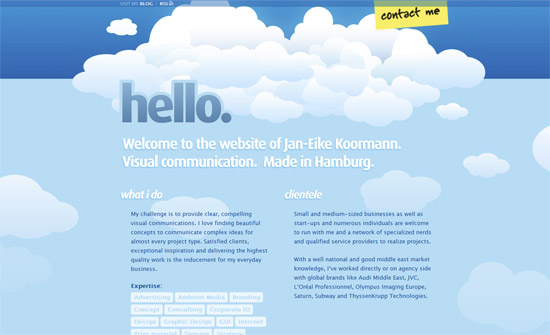
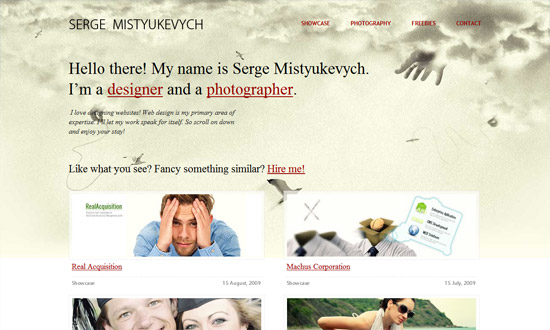
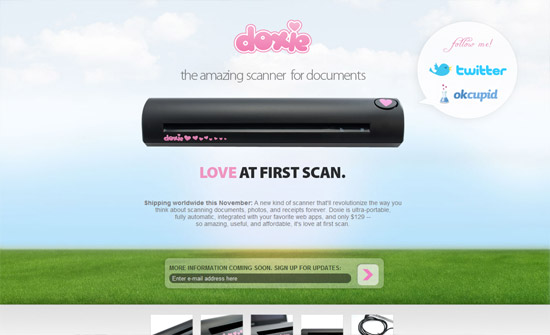
These are exciting times for web typography, so this Friday Focus we’re looking at sites that excel particularly in that aspect. Enjoy!

Designs of the Week

Monty Lounge Industries

Twirk Ethic

Cynosura

Older Graphic Designer

Ocular Harmony

Boris Forconi

Thomas Landwehr

Rockbeatspaper

May

Siete de Febrero

Social Media Weekly

CSSGuide to CSS support in email clients
Note: not a sponsored link.

HTMLHTML 5 pocket book
A printable guide to HTML 5 (best for WebKit or Gecko based browsers to support CSS3 transforms).

Writing20 tips for writing for the web
Because designers and developers must learn how to communicate too.

ProgrammingGetting Started with PHP Regular Expressions
Concepts are useful for more than just PHP.

Feature
Post

Category
Design

Review of PSD2HTML: PSD to HTML Service

Disclosure: I was given a free “sample” job for review purposes on Devlounge.net. This is a completely objective review on the service I received.

For designers that know their Photoshop, but maybe haven’t quite mastered HTML and CSS just yet, the numerous PSD to HTML conversion services available today could be godsends. As someone who cares very deeply about the code behind my websites, I was curious to see how PSD2HTML worked, and how good the resulting markup would be.

A little bit of background on PSD2HTML here: apparently, they were the first service of its kind- and they conform to international quality standards (with a certificate of quality ISO 9001:2000). They’ve recently redesigned their site and are offering new payment options, which is probably why they offered me a sample service for review in the first place. They’re also proud of their customer support- offering email, chat, and, recently, phone support.

So. I submitted a very simple PSD, a quick mockup I created for StyleMill.com, a domain name I’ve owned for years but haven’t done anything with:

stylemill-ss

Armed with this, I loaded up PSD2HTML’s Order Page:

psd2html-orderpage

As you can see, the Order page looks simple enough- simply fill out your details, upload your PSD, and click “Order Now”- which is what I did. If you want to, though, you can require certain layout options, advanced markup, or even specify what software implementation you need (for example, to turn your PSD into a WordPress theme). Some of these are included, but others require additional fees (for example, an additional $29 for a Flexible Layout, a sticky footer for $9, sIFR for $19). All these options make for a very comprehensive order page- and should please even the nitpickiest of clients.

PSD2HTML promises a quick turnaround time, and the service I received truly was quick- definitely less than 24 hours. Almost immediately after receiving my order, they contacted me to let me know that since I had rasterized all the text elements in my PSD (um, not a good idea, I guess), they would use their “own discretion for styles creation and font choice”- also that they would be providing me with commented markup and CSS, setting the DOCTYPE to W3C Valid XHTML 1.0 Strict, and center-aligning the page. All fine by me.

Here’s a screenshot of the files I received, in a folder titled “markup”:

p2h-folder

Both the HTML and CSS were valid. The HTML code was nice and clean- I always appreciate commented code- and the CSS, while not necessarily as organized as my own, was tidy and easy to understand. And here’s a side-by-side comparison of the original PSD and the markup from PSD2HTML:

p2h-comparison

I realize that I didn’t send them a very “challenging” PSD to work with, but I did get the feeling that if I had sent them something more complicated, PSD2HTML would have been able to pull it off- and a lot of that has to do with their customer service, and their being willing to work with their customers to get all the details right. Overall, I was quite pleased with the service I received, and would certainly consider using them for a future project.

Have you tried a PSD to HTML service?