As web developers, the browser is essentially our “canvas”- it’s where we spend most of the testing stage of our development work. Which is what makes these browser tools so useful: not only do they help tremendously when we’re tweaking code and troubleshooting, they can also give us insight into the coding of other websites. You know, for moments of “inspiration”.
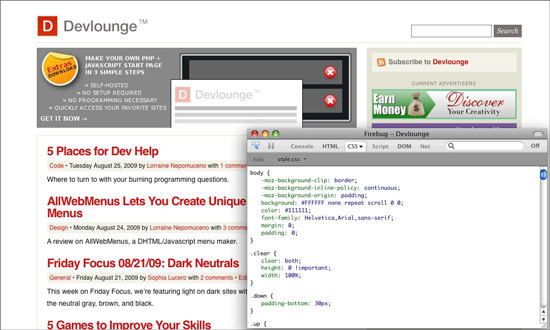
Example of Firebug in action- on Devlounge!
Firebug’s tagline is “Web Development Evolved”- and indeed, if you use Firefox and you’re a web developer, this is almost essential. It’s an extension for Firefox, so it works on any platform that runs the browser, and it allows you to do everything from inspecting and editing a site’s HTML and CSS, to exploring the Document Object Model (DOM), to- my favorite of all- debugging, executing and logging Javascript.
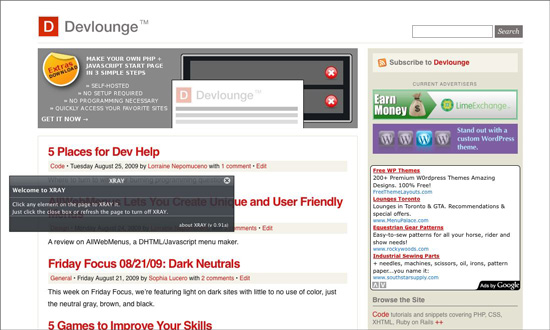
The black window is XRAY. This is how it looks when you first open it on any page.
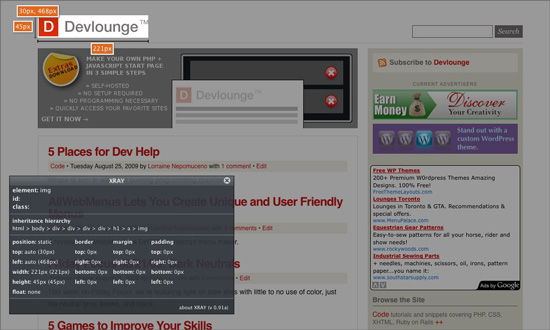
XRAY in action!
XRAY from Westciv is an elegant browser tool that you install as a bookmarklet and use to get more information on any element on any website. In the example above, I’ve clicked on the Devlounge logo. XRAY highlights it (by darkening everything else), gives me the logo size, inheritance hierarchy, and other specifications. Very awesome. Works in IE6 and above, and all Webkit and Mozilla based browsers.
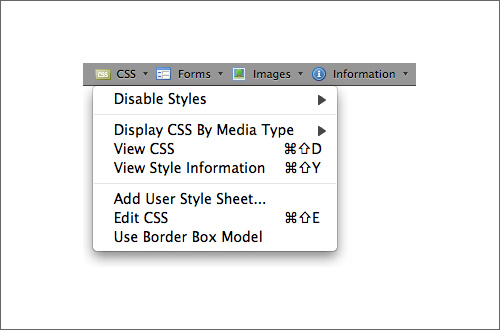
The menu you get when you install the extension.
It’s these types of add-ons that have most developers using Firefox despite all the other great browsers out there. The Web Developer Add-On (currently at Version 1.1.8), as you can see from the screenshot above, installs an additional menu on your browser that allows you to instantly disable CSS styles, view CSS, and more- not as powerful as Firebug or XRAY, but very quick and gets the job done.
IE Only Tools
If you use IE for development testing, check out these tools: IE Watch is very similar to Firebug, featuring things like HTTP and HTML analysis, and including useful goodies such as instant screenshot captures, window resizing and transparency control. From Microsoft there’s the Internet Explorer Developer Toolbar – which is exactly that, a toolbar you install on IE that lets you inspect DOM elements and view HTML and CSS among others.
What browser tools do you use for web development?