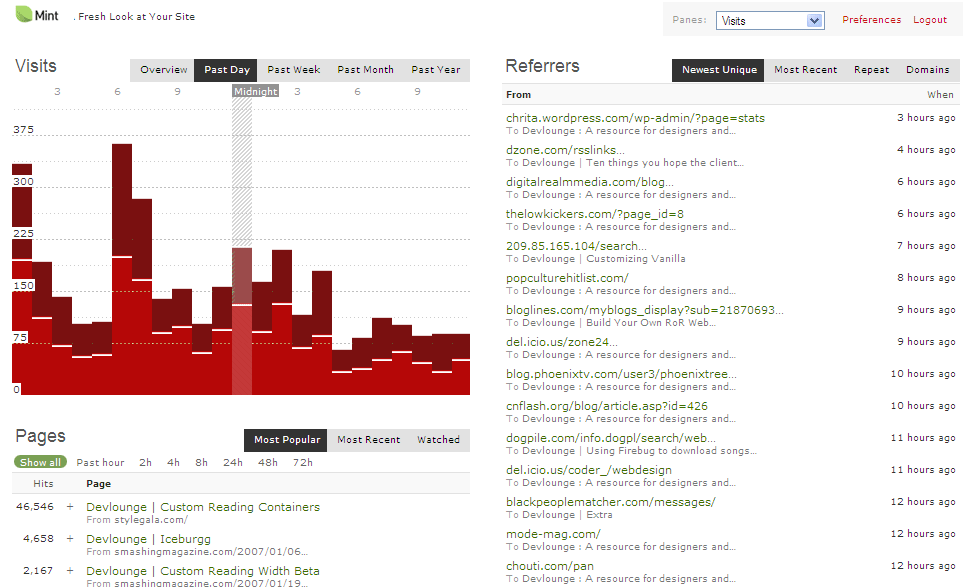
Introducing Clearmint, a fresh, white experience for your favorite stats script.
What is Clearmint?
As of Mint 2.0+, Mint now has styles, where a simple edit of the css can change the look and feel of Mint. Already in a fairly short period of time there have been many styles released for Mint, including Massive Blue’s style. Even with all color mods already available, one I hadn’t seen that surprised me was a style having very little color at all.
Clearmint – Faster, Simpler, Lighter
Clearmint answers the call for a lighter Mint style. We’ve stripped out most of the images, including the rounded corners, and put together a white / light gray with red and green accents theme. Not only does it look awfully fly, but it also improves loading time somewhat because their are not many background images that need to load.
What does CM look like?
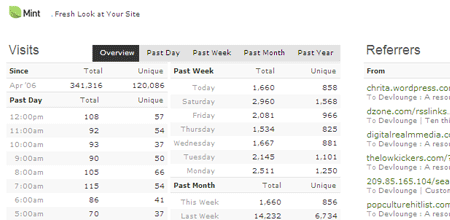
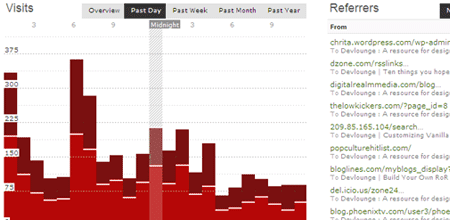
Want to take a peek at Clearmint? We have two teaser screenshots below, and if that isn’t enough, you can also view a larger version by clicking the smaller thumbnail below. You’ll soon fall in love with your new favorite Mint Style.
Download CM
Done with the hype? Give Clearmint a try. Simply download Clearmint V. 1 and drop the “clearmint” folder into the Mint styles folder found in “../mint/styles”. Then head to the Mint preferences panel and select Clearmint, and your on you way to being the freshest on the street!
Changelog:
- 2/26/2007 – Initial Release of CM
- 2/26/2007 11:30AM EST – Minor css fixes / tweaks
- 3/4/07 – Fixed css bug pointed out by R Mitchell
Clearmint Ice: A User Modification
Clearmint Ice is a user-submitted modification by Rusty Mitchell. This modification adds light blues and borders to pages and panels, and gives a clean, frosty look to Clearmint. An excellent mod for sure, you’ll probably want to download it and CM and give them both a try. You can download this mod from here.
Comments / Thoughts / Concerns
Tell us what you think about Clearmint. Like it? Hate it? We want to know. Want additional colors? Feel free to let us know exactly how you feel so we can improve future releases of all our downloads!
Wait…I’m still not convinced
Still unsure about downloading CM? Click the thumbnail below to get a large scale preview of Clearmint in action!