Feature
Post

Category
General

PollDaddy 2 Released

For those of us who like to run polls on our site, there are a myriad of options. For example, with WordPress there is WP-Polls. But what about for non-WordPress bloggers? Or perhaps a blogger that wants to create a one-time poll and be done with it? That’s where PollDaddy comes in.

Setting up a poll is pretty easy. Just create an account and create a new poll or survey. Below is an example of me entering some questions for a poll attached to the end of this post.
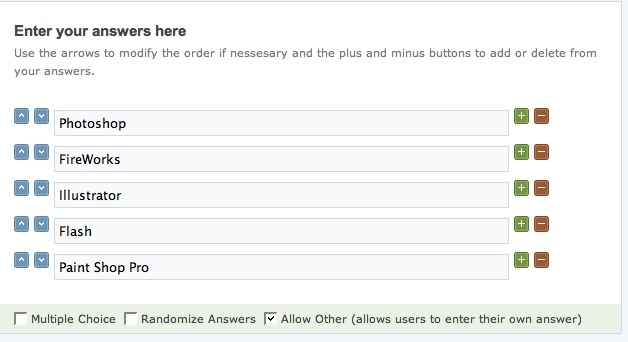
PollDaddy 2 Options

For a complete feature set, please check out the PollDaddy Version 2 features. Some features I think others will enjoy are:

  • Localization support.
  • More answer choices (up to 100).
  • Ability to export results to CSV.
  • Ability to custom-theme poll appearance.

There is also a pro account, but for my use I think $20 a month is a bit much. See below for a sample poll created using PollDaddy.

  1. By Cody posted on November 21, 2007 at 2:00 am
    Want an avatar? Get a gravatar! • You can link to this comment

    Too bad the backend looks nice and the front end looks crappy :(

  2. By Steven Hambleton posted on November 21, 2007 at 9:24 am
    Want an avatar? Get a gravatar! • You can link to this comment

    I just thought it might be useful to know that Expression Engine has a third party module called EEPoll.

  3. By Jermayn Parker posted on November 22, 2007 at 2:54 am
    Want an avatar? Get a gravatar! • You can link to this comment

    Whats the stylisation options??

  4. By Ronald Huereca posted on November 22, 2007 at 3:03 am
    Want an avatar? Get a gravatar! • You can link to this comment

    Jermayn,

    After you create an account, there should be a menu called Polls with an option beneath called “Poll Styles”. From there you should be able to edit to your heart’s content.

  5. Trackback