Feature
Post

Category
General

New private community

Prash’s latest project includes a new private design community called Mintpages. After just going live yesterday (about 24 hours ago) with only him and I as members, Mintpages has already exceeded 50 members, most of them extremely talented. The point of mintpages is to be a private community only allowing the best and most experienced designers and coders involved. For the time being (just a few more days), the registration is open to get things going, after which the community will be locked and be invite only. Of course we have our forums which you should be joining and participating in as well ( :) ), but if you are a serious designer or coder, Mintpages is quickly becoming the place to be.

Feature
Post

Category
Design

Considering During Design

It seems like these days you encounter a new “some name here cheat sheet” on digg almost everyday. They all aim to help you with something, be it coding, designing, using some application – whatever. I figured it was about time Devlounge jumps aboard, but with one of our own – more of a checklist / things to remember type than a cheat sheet, but still worthy of consideration anytime you’re about to design. Let’s start off with this cool little image before we break down just exactly what in the world I’m talking about.

A Checklist of Sorts?

9 Things to Focus On

Yes, we know there’s plenty more than 9 – in fact, I could probably go on for nine hours about the multitudes of things you should be thinking about while designing – not to mention how much money you’ll be making when you finish this for your client… Anyways, let’s get back to the subject here. For this list, I’m focusing on 9 areas including screen res, fonts, white space, new web looks, line spacing, comic sans, how “2.0″ you are, pixels vs ems, and finally, xhtml. Next let’s see me go into detail about all of them, and just why they made my first list of things to consider when designing.

Screen Resolution

Virtually all of the design world has moved on to bigger and better things – included larger monitors and more powerful graphics cards. 800 x 600 has all but disappeared to the powerful new numbers your desktop is capable of showing, and the amount of monitors one person might have themselves. But then, there’s me. I fall into that obscure 1% you probably see on your mint logs after I visit your site. Why? Well for one, it’s because the computer I do my designing on is fairly old, which one would consider odd when I have a newer computer just a few rooms away, but also to keep myself from designing too big. (And it also makes it a challenge for me to keep Photoshop up without it crashing, but that’s another story.) I always start off most of my designs at or around 800 pixels by whatever. Even though the percentage of people using 800 x 600 has greatly declined, you never want to rule them out. Having to make long horizontal scrolls if your design is too big for a 800 x 600 screen can really annoy people, but for the most part, designs at 800 by whatever look fine in larger resolutions. If you plan on having a fixed width, make sure your design looks fine in 800 x 600 display.

Fonts

The next thing to consider is fonts. First off, pick a generalized font that everyone has or should have, and be sure to set alternatives. “My new summer dingbats” isn’t going to do very well displaying on other peoples computers if they don’t have the necessary file.

Another thing to consider is font size. We like to start with the basic 12px. (Devlounge also features some use of 11px, but we keep it minimal.) Making your fonts too damn tiny or going to have people squinting so much they’ll be saying the **** with this site, and never coming back. Line spacing is essential, but we’ll get more into that below.

Whitespace

White space (which doesn’t have to be white), is just a term for leaving areas of space between different elements of your site to distinguish certain parts. Using css you can set anything, from the margin between header and paragraph, indent (padding) of paragraph – you name it, and it can be set. Having white space is important because it creates separation, makes things easier on the eyes (even if the site is dark), and breaks apart the design so it’s not too tough to swallow.

Old Vs. New

Another thing you should always be taking into consideration is what year we’re in. Sites like guistuff that used to generate the oh-that’s-so-cool-let-me-generate-my-own-exactly-like-it nav bars and images have been replaced with that new found web goodness called ajax, xhtml, and css, and you can find generators that will build standards compliant nav bars, buttons, and more with a much more up to date look.

Feature
Post

Category
Homepage News

CTD Update

We are a lot closer to the launch of the Charity Through Design project. After a long time of looking, I’ve found a nice charity that accepts donations through paypal, so it looks like we will be working with them. They are all about feeding the hungry, a great cause for sure. You can have a look at the charity, Friends of the World Food Program here.

If you do not know about the Charity Through Design project, it’s about time you find out more. It looks like I’ll be taking this off on September 1st, and, as it’s planned now, it will last through October 31st.

Please let us know your thoughts on this project either in this thread, or the CTD thread in the forums.

On some other minor notes, we have finally passed 100 feed subscribers! It took us a while, but we are glad to be there. Now the hard part is staying above 100 for good. Stay subscribed, because the content is only going to keep getting better and better. Also, Devlounge has been submitted to the FWA (Favorite Website Awards). We’ll hope to get that “Congrats!” email in the coming weeks, as it would really help spark long discussions following all of our articles.

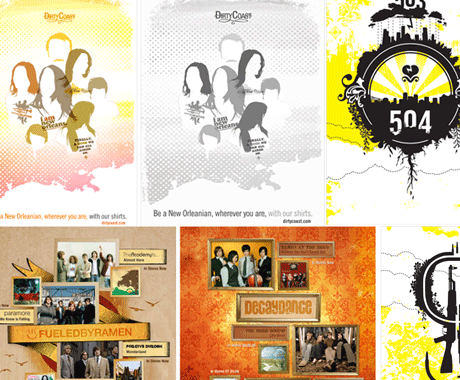
As for some upcoming content, we have a multi-designer interview coming in the next few days with three designers from New Orleans, as well as some experiments with Moo.fx.

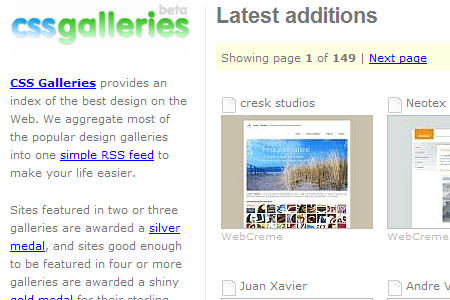
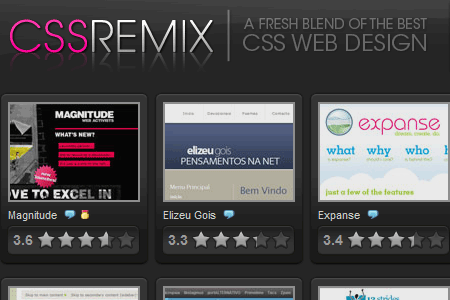
Finally, Devlounge has recently been included in Cssgalleries for being displayed on Tom.ma and CSSRemix. Thanks to them for the displays!

Over and out from team DL.

Feature
Post

Category
Strategy

Linkage Etiquette (Part 1)

Some way or another you’re gonna’ have to link some schtuff on your site — your blogroll, tags, buttons, throng of social networking icons, etc. So, what’s your style?

Me? I’m a “text link” sort of guy. They’re pretty intuitive, they imply action, and they help improve SEO. Follow a few simple steps, and your links will do wonders for your site, while also providing great linkage to wherever you’d like to take your guest.

1: Stay Pithy

Use no more that three to four words if you can. “But what if there’s an organization that has a four-word name (e.g. Metropolitan Museum of Modern Art) and you have to add a CTA?” Iz O.K. Thanks to acronyms, you should have already identified said spot as MOMA. Then, simply say Check out MOMA.

2: Avoid Lazy Linkage

Shame on you for not hitting [sfht+return] to give your link a nice clean soft break. Never leave half your link on one side of your article wondering where its better half is. This can look especially bad when your article width is greater than 500px. Keep you links in a happy, loving relationship. If you have to remove a word or two to make your links fit, then “massage the copy.” It feel so good. Rub you long time. Taking the time giving your copy the ol’ rub down will add one extra layer of proofing — and that ain’t never a bad thang.

3: “Click Here!” I Don’t Think So.

Okay, we’re all guilty of this one, right? I’ve used it before, I have. But that was back in Web 0.85. Well I’m still seein’ it. ”Click here to enroll in out program today.” How about a simple “enroll now,” eh? “How nice, they made enrolling so intuitive. I’m in.”

4: Stop Defining Links as “This Link”

Assume your audience are savvy; they know how to use the Interweb; they know that links look different than the rest of the text, and that funny little finger pops up on rollover, and sometimes the underline changes a different color.

5: Links Should Relate to Your Post

This rule is more specific to personal sites, but all should take heed. The main reason for having links throughout a single post is to shed more light on your subject to your reader. If you’re writing a movie review that stars Paul Ruebens, it’s okay to link your reader to his IMDB page, or even his rap sheet. Be smart about links throughout your post. You want people to stay on your site.

6: Want an Action? Use a Verb.

You want someone to apply for a job, download your music demo, or enroll in a program? Use a word that implies an action: “apply now, download my demo” or “enroll today.” Take your initiative even further by placing this CTA at the end of your paragraph. Most people read with their hands on little mousey, some even follow the words with their cursor (they’re over 50 and shop at WalMart). By making your link stand out at the end of a statement they’ll naturally by inclined to “clickety-click-click.”

So What’s the Bottom Line?

Be smart about your links. In most cases, a corporate site will have different reasons to link than a small, personal blog. But that doesn’t mean you shouldn’t maintain proper linkage. Using the correct words and format will help to ensure better click-thru rates, and if you’re uber-smart about it, help with your SEO.

Want even more linkage etiquette? Monday by Noon has a nice article more focused on the design theory behind links. Check it out here.

Feature
Post

Category
Interviews

Steve Smith

What’s it take to have a mega-popular WordPress Admin Alternative? Some Orderedlist of course, and Steve Smith. We sit down and talk about design, life, and his newest love.

Devlounge: Hey Steve. Great to be talking with you today. Before we get into things, we first like to congratulate you on recently becoming a father. Best wishes to you and the family!

Steve Smith: Thank you. It’s been an exciting experience!

Steve Smith

DL: I believe most of your early fame came from the design and release of Tiger Admin for WordPress. How did the idea for Tiger Admin come about, and did you always think it would become so popular?

SS: Honestly I just made it for myself. I wanted to see what was possible, and it was a great challenge. I decided to post the results for other people to use, and it just took off from there. I released it one evening before I went to bed, and woke up to 50+ comments, more than I had ever received before. Over then next day that grew to over 200. I believe through all the versions it’s been downloaded over 35,000 times.

DL: Many people have speculated on what will happen to Tiger Admin once Shuttle is launched. In your response post, you hit on different issues like whether or not Shuttle will have a different xhtml structure, which would force you to have to update Tiger. It’s now been a month since that post, have you made a firm decision on continuing with Tiger?

SS: No firm decision, but I think the next version will be a refresh of the design, and not just modifications to allow for the alterations to the WordPress admin XHTML structure. Another thing on my list.

DL: With the recent birth of your son, how does that change you as a person and your priorities?

Work is still a priority, of course, but off the clock if I have a choice of designing/coding or spending time with Jackson, family wins out.

SS: It’s really amazing how a child can realign one’s perspectives. Things I thought I could never do without seem to have fallen to the wayside with little or no notice. Work is still a priority, of course, but off the clock if I have a choice of designing/coding or spending time with Jackson, family wins out.

DL: As Lead Web Developer of the Notre Dame Web Group, what’s it like working together with a large team on a collegiate level?

SS: We’re not an especially large team, and we intent to stay that way. The educational environment is much different than that of the corporate, and one I’ve really come to prefer. The focus for us has always been on the quality of the end product, not on profit or speed. Obviously we want to expedite time to market, but not at the cost of the project.

Diversity is another key ingredient. In the corporate world most companies I worked for had a distinct niche with regards to their clientele, but at Notre Dame I have worked with project topics including biomolecular engineering, African studies, law, history, literature, academic freedom, and more. As a developer I love to shape and organize content for the web. Think of a University as a never-ending supply of content.

Think of a University as a never-ending supply of content.

DL: What are your favorite internet resources to visit, being design related or just general links you’d love to share?

SS: It’s hard to name specific resources that continually draw me back, but I do browse the galleries, check out Veer for some creative inspiration, and Flickr for fun and community. Most of my real inspiration comes from the people I know and communicate with directly. Whether through IM, face-to-face, or their websites, keeping in dialog with people I know and respect in this business has done more for my professional growth than anything else.

DL: What got you started in design and coding? Was it a hobby that just began to flourish over the years, or did it come on suddenly?

SS: Long story short, I started making websites because I decided not to go to graduate school for physics. My senior year of college I just wanted to be done with school, so I finished my degree, but during the year I fell back on my old hobby of web development. I had always enjoyed programming, but never really thought of doing it as a career. I dove in head first, learned as much php as I could, and got a job with a multimedia company right out of college. At the time I was still, shall we say, liberal with my usage of tables.

Early 2004 I finally saw the light of web standards, and I couldn’t get enough. Things have progressed quickly from there, but I’m always looking for the next thing I need to learn.

DL: Any other hobbies / things you’re into that you wouldn’t mind sharing?

SS: I enjoy playing my guitar, hitting the golf course, and chatting with friends, among other things. I’m kind of a do-it-yourselfer, so lately I’ve been building a deck, landscaping, and generally doing things around the house which should probably be done by a professional.

DL: Thanks for answering a few questions for us. It’s been a pleasure!

SS: You’re very welcome. Anytime.